
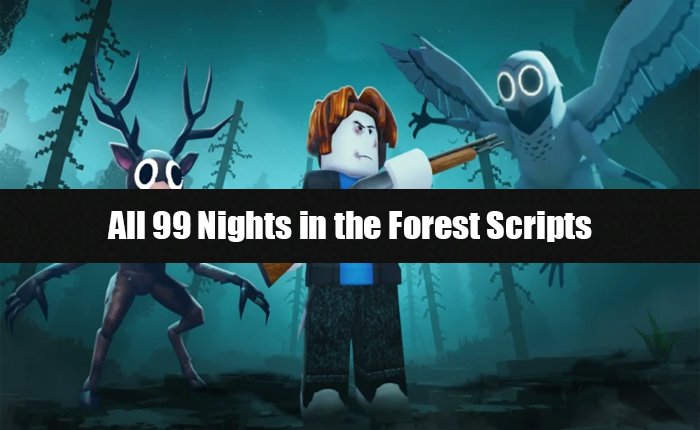
Are you looking for the 99 Nights in the Forest Scripts? If YES, then you landed in the right place.
If you are playing the Roblox games regularly, then you will agree that 99 Nights in the Forst is one of the best Roblox games played by millions of players worldwide.
This game has a very unique and engaging gameplay that players enjoy. However, while players enjoy the natural gameplay of the game, some use customised scripts to unlock advanced features.
These features help them progress quickly in the game and avoid wasting time on the boring parts.
There are tons of customised scripts available on the internet that you can use in the 99 Nights in the Forest game.
Unfortunately, not all of these scripts function smoothly, and players are constantly seeking working scripts.
With that in mind, we have decided to write this article and provide you with all the working 99 Nights in the Forest Scripts.
So, without any further ado, let’s see:
All 99 Nights in the Forest Scripts
As I mentioned above, numerous 99 Nights in the Forest Scripts are available on the internet; however, not all of them are functional and may result in your Roblox account being banned.
If you are looking for the Steal A Brainrot Script, then make sure to visit our website.
Below, we have mentioned some 99 Nights in the Forest Scripts that work fine without issues, and these scripts are safe, which reduces the chance of account ban.
RINGTA Scripts
loadstring(game:HttpGet(“https://raw.githubusercontent.com/wehibuyfgyuwe/99nights.github.io/refs/heads/main/ringta.lua”))()
Foxname Hub Script [UPDATED]
loadstring(game:HttpGet(“https://raw.githubusercontent.com/caomod2077/Script/refs/heads/main/FoxnameHub.lua”))()
DevWare Hub Script [UPDATED]
loadstring(game:HttpGet(“https://raw.githubusercontent.com/Devvzn/DevWare/refs/heads/main/DevMain”))()
Vortex Hub Script [NEW]
loadstring(game:HttpGet(“https://api.luarmor.net/files/v3/loaders/80aed6b06a7e38e8260a1b82638ff65b.lua”))()
NTT Hub Script
loadstring(game:HttpGet(‘https://ntt-hub.xyz/api/repo?id1=main&id2=lua’))()
Auto Farm Diamonds [NEW]
loadstring(game:HttpGet(“https://raw.githubusercontent.com/DarkenedEssence/Elude/refs/heads/main/External/Diamond/ELUDESJI.lua”))()
Elude Script
loadstring(game:HttpGet(“https://raw.githubusercontent.com/DarkenedEssence/Elude/refs/heads/main/Loader.lua”))()
H4X Scripts
loadstring(game:HttpGet(“https://raw.githubusercontent.com/H4xScripts/Loader/refs/heads/main/loader2.lua”, true))()
Moondiety Script
loadstring(game:HttpGet(‘https://raw.githubusercontent.com/m00ndiety/Moondiety/refs/heads/main/Loader’))()
DarkEsc Hub Script
loadstring(game:HttpGet(“https://raw.githubusercontent.com/DarkenedEssence/DarkEsc/refs/heads/main/Loader.lua”))()
Voidware Script
loadstring(game:HttpGet(“https://raw.githubusercontent.com/VapeVoidware/VW-Add/main/loader.lua”, true))()
Rift Hub Script
loadstring(game:HttpGet(“https://rifton.top/loader.lua”))()
VEX-OP Script
loadstring(game:HttpGet(“https://raw.githubusercontent.com/yoursvexyyy/VEX-OP/refs/heads/main/99%20nights%20in%20the%20forest%20premium”))()
Note: We are just showcasing the 99 Nights in the Forest Scripts for educational, research, and entertainment purposes.
We do not promote exploiting the game and using hacks because it is against the terms and conditions of the Roblox platform.
How to Use the 99 Nights in the Forest Script?
If you don’t know how to use the 99 Nights in the Forest Script, then don’t worry, you can do it by following the steps written below.
- First, download and install a Roblox Executor.
- Once you do that, open it and complete the setup process.
- After that, go to Roblox and launch the 99 Nights in the Forest game.
- Once the game is launched, click on the Executor Icon.
- Now, copy any script from above.
- Then go to the Script section and paste it.
- Click Execute or Inject.
- That’s it, this will execute the script, and the features window will appear on your screen.